
About the Friend Invite Feature


Friend Invite is a feature where you can get perks for inviting your friends to play Last Cloudia.
Invitees start up Last Cloudia and enter the inviter's ID. Once the invite is accepted, both the inviter and invitees can get perks.
Inviters can also receive additional perks as the invitee plays through the game.
Select the tab below to see how to do this.
▼Tap to switch tabs
About Inviting Friends
If you meet any of the following criteria, you can invite your friends to Last Cloudia!
- At least two days have passed since you installed Last Cloudia
- You have cleared 1-2-12 Zouglas, the Onyx Apostle in the main story
How to Invite Friends
The invitee enters your Friend ID and accepts the invitation.
- Be sure to share your Friend ID with the friends you'd like to invite.
Find your Friend ID by first going to the Home screen, tapping [Friend], and then going to the Search tab.
- The invitee then enters the Friend ID you've given them.
- Invitation is complete after the invitee enters the inviter's Friend ID in the Invite tab, and then taps [Yes] on the dialog box that pops up!
Also, you can invite friends through social media, so be sure to use this invite function to share Last Cloudia with everyone!
About Friend Invites
If you meet any of the following criteria, you can be invited to Last Cloudia!
- Thirty-one days or more have not passed since you installed Last Cloudia
- You have not cleared 1-2-12 Zouglas, the Onyx Apostle in the main story
- You have not logged in for at least eight days after not logging in for at least thirty days
*Invitee players can also invite friends once they have fulfilled the conditions to invite friends.
How to Accept a Friend Invite
Start up Last Cloudia and enter your inviter's Friend ID in the Invite tab.
- Be sure to get your friend's Friend ID.
Find your Friend ID by first going to the Home screen, tapping [Friend], and then going to the Search tab. - Enter the Friend ID you've been given in the game.
Enter the Friend ID by first going to the Home screen, tapping [Friend], and then going to the Invite tab.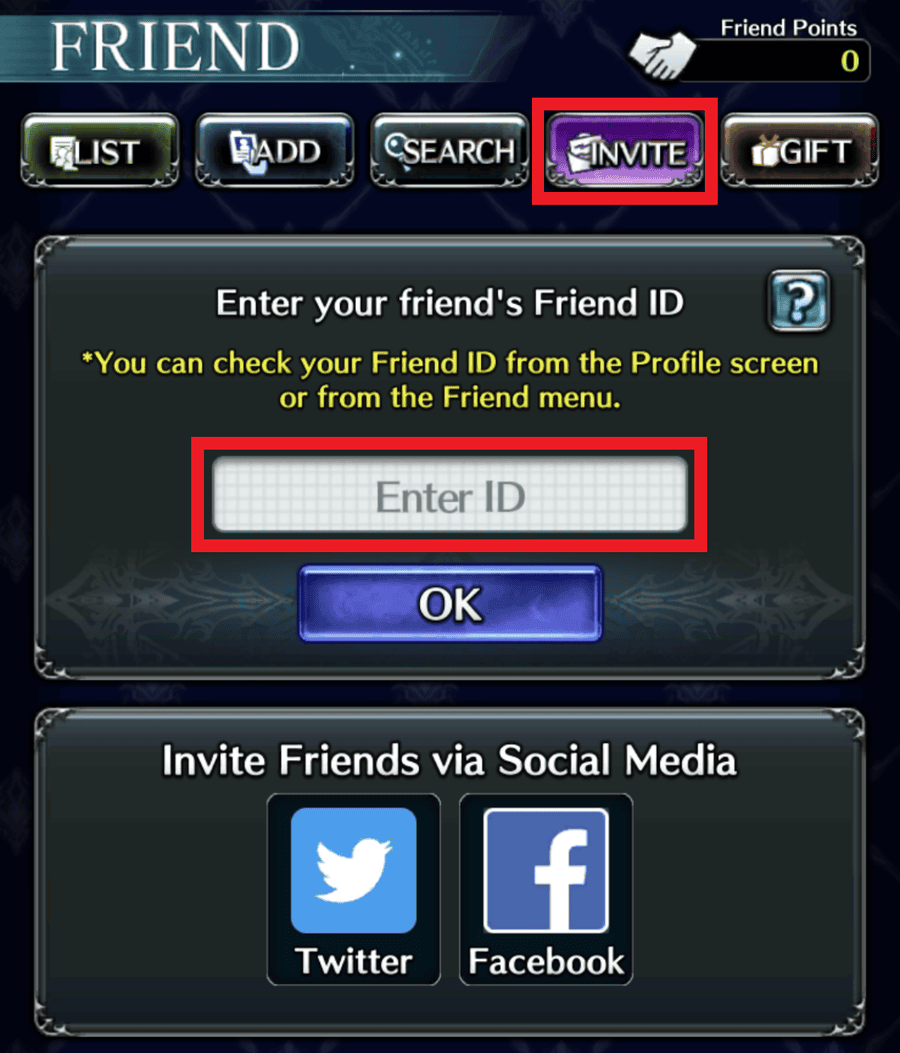
- A confirmation dialog box will appear after you enter a Friend ID.
Tap [OK] to accept the invite and get rewards sent to your Presents.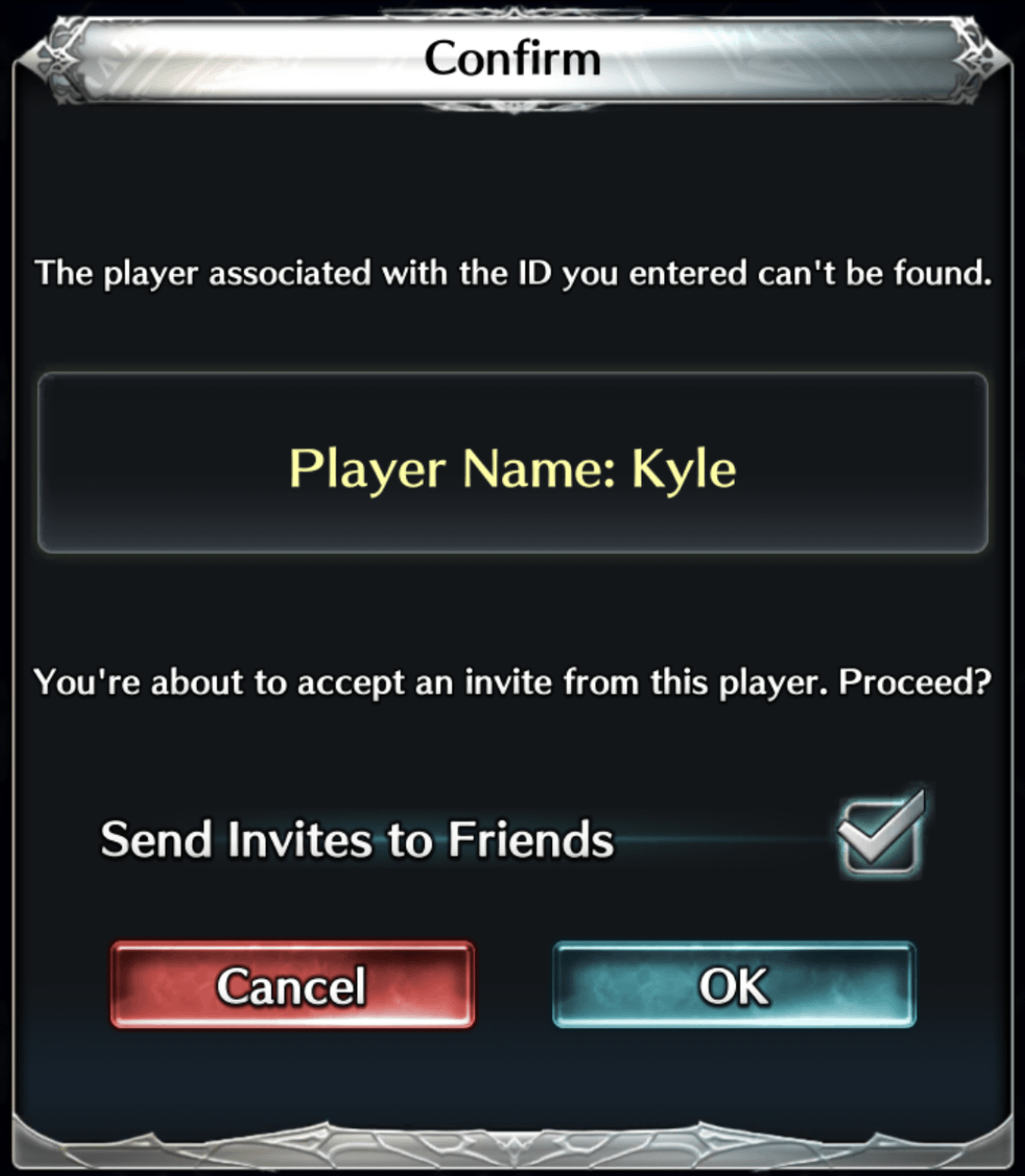
Rewards
Both you and the person who invited you to Last Cloudia will get amazing rewards!
Fulfilling certain conditions will reward you with crystals.
| Conditions | Perks | Limit |
|---|---|---|
| An invitee enters the inviter's Friend ID | Free Crystal x50 | Up to 100 people (up to 5000 crystals) |
|
The invitee completes chapter 2, chapter 3, and chapter 4 of arc 1 of the main story |
Free Crystal x100 when each chapter is completed | Up to 10 people (up to 3000 crystals) |
| The invitee has logged in for a total of 10, 20, and 30 days after the invitation was accepted | Free Crystal x100 for each login milestone reached | Up to 10 people (up to 3000 crystals) |
| The invitee reaches Player Rank 10, 20, and 30 | Free Crystal x100 when the player reaches each player rank | Up to 10 people (up to 3000 crystals) |
| Conditions | Perks | Limit |
|---|---|---|
| Entering your inviter's Friend ID and accepting their invitation | Free Crystal x3000 | One time only |
|
You complete chapter 2, chapter 3, and chapter 4 of arc 1 of the main story |
Free Crystal x1000 when each chapter is completed | Up to 3000 crystals |
| You log in for a total of 10, 20, and 30 days after accepting a friend invitation | Free Crystal x1000 for each login milestone reached | Up to 3000 crystals |
| You reach Player Rank 10, 20, and 30 | Free Crystal x1000 when you reach each player rank | Up to 3000 crystals |
*For further details, see Help.
Thank you for playing Last Cloudia.
The Last Cloudia Management Team